

Key Takeaways
- Essential Tools: Gather necessary tools such as a small Phillips screwdriver, plastic opening tools, tweezers, and a compatible replacement battery to ensure a smooth battery replacement process.
- Step-by-Step Procedure: Follow the outlined steps methodically—preparing the device, removing the old battery, installing the new one, and reassembling the device to restore functionality.
- Avoid Common Mistakes: Power off the device before starting, avoid using excessive force, and keep all screws organized to prevent complications during reassembly.
- Maintenance Best Practices: Use the appropriate charger, avoid extreme temperatures, and monitor app usage to extend battery life and performance post-replacement.
- Troubleshooting Tips: After replacing the battery, check installation, charging performance, and monitor for common issues like overheating or an unresponsive screen to ensure everything works correctly.
Is your BlackBerry Priv’s battery draining faster than you can keep up with? You’re not alone. Many users face this frustrating issue as their devices age. A worn-out battery can make it tough to stay connected, but replacing it doesn’t have to be a hassle.
Tools Needed For Battery Replacement
Replacing the battery in your BlackBerry Priv requires specific tools to ensure a smooth process. Gathering the right tools beforehand makes the replacement easier and prevents potential damage.
Recommended Products
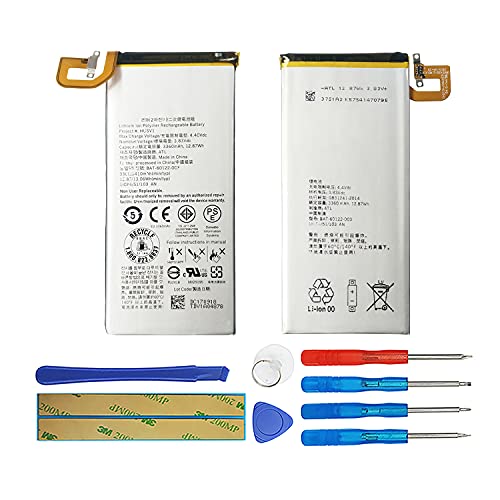
【Compatible Models】Blackberry Priv STV-100.Please check your old battery number before buying this battery.

Product Type: Li-Polymer , Volts: 3.85V ,Capacity: 3360mAh/12.94Wh
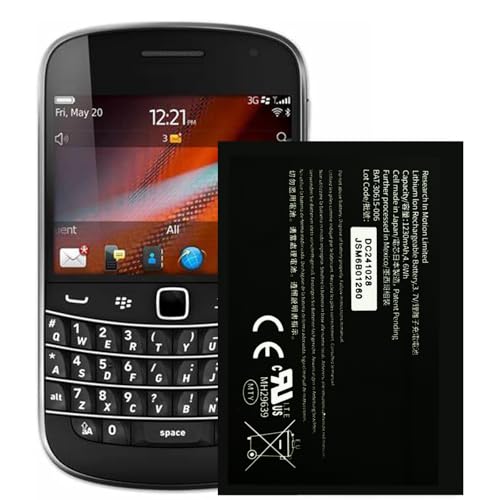
⚡【Spare Battery Specs】Black Berry JM1 Replacement battery has a capacity of 1230mAh. and the Voltage is 3.7V.
Essential Tools
- Small Phillips screwdriver: This screwdriver is crucial for removing screws securing the back cover and battery.
- Plastic opening tools: These tools allow you to carefully pry open the back cover without scratching the device.
- Tweezers: Use tweezers to handle small components and screws, which makes assembly easier.
- Replacement battery: Purchase a compatible replacement battery designed specifically for the BlackBerry Priv.
Optional Tools
- Heat gun or hairdryer: Applying gentle heat loosens adhesive, helping remove the back cover.
- Magnetic mat: This mat organizes screws and small parts during the replacement process, preventing loss.
- Safety glasses: Although not necessary, wearing safety glasses protects your eyes from any small parts that may fly during the repair.
Having these tools on hand sets you up for a successful battery replacement in your BlackBerry Priv.
Step-By-Step Guide
Follow these straightforward steps to successfully replace the battery in your BlackBerry Priv. Each process is essential for ensuring your device functions optimally.
Recommended Products
![Blackberry Blackberry C-x2 Battery For Blackberry(r) 8800 [wireless Phone Accessory]](https://m.media-amazon.com/images/I/31lmZoZXNPL._SL500_.jpg)

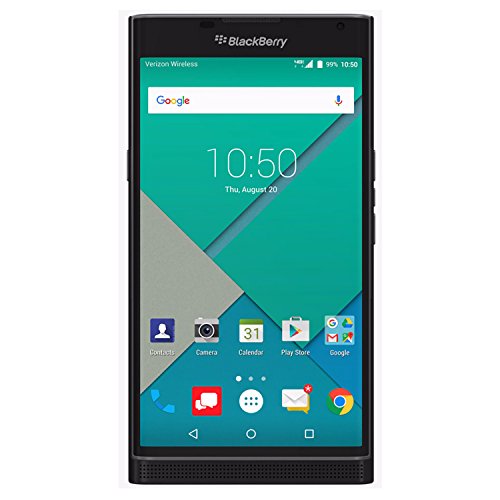
Powered by Android OS, with full access to over one million applications on Google Play
Preparing Your Blackberry Priv
- Power off your BlackBerry Priv to prevent any accidental damage.
- Gather your tools: a small Phillips screwdriver, plastic opening tools, tweezers, and your replacement battery. Optional items are a heat gun or hairdryer and a magnetic mat for small parts.
- Remove the SIM card and microSD card if applicable to avoid any potential loss during the process.
Removing The Old Battery
- Use the plastic opening tool to gently pry open the back cover. Start at one corner and work your way around.
- Unscrew the screws securing the battery connector using the Phillips screwdriver.
- Carefully disconnect the battery connector to expose the old battery. If adhesive exists, apply gentle heat to loosen it.
- Lift the old battery out of the device. If it resists, use the tweezers to carefully pull it free without damaging surrounding components.
Installing The New Battery
- Place the new battery in the same slot where the old one was located.
- Align the battery connector with its corresponding port on the device. Firmly press it down to secure the connection.
- Replace and tighten the screws you previously removed to ensure the battery stays in place.
Reassembling Your Device
- Snap the back cover back onto the device, ensuring it’s secure. Start at the edges, pressing until you hear clicks.
- Reinsert your SIM card and microSD card as necessary.
- Power on your BlackBerry Priv to verify that the new battery works correctly. Check for any signs of functionality and ensure the device charges properly.
Following these steps guarantees a successful battery replacement and restores your BlackBerry Priv’s performance.
Tips For A Successful Replacement
Replacing your BlackBerry Priv battery can be smooth if you follow some helpful tips. Keep these guidelines in mind to ensure a successful battery replacement.
Common Mistakes To Avoid
- Neglecting to power off: Always power off your device before starting. Failing to do this may lead to short circuits.
- Skipping tool preparation: Don’t start without gathering all tools. Missing tools prolong the replacement process.
- Using excessive force: Avoid prying open the back cover too forcefully. This can damage the device or its components.
- Inadequate handling of the battery: Handle the new battery gently. Dropping it or applying pressure can damage it.
- Ignoring screws: Ensure to keep all screws organized. Losing even one can complicate reassembly.
Best Practices For Maintenance
- Charge correctly: Use the appropriate charger for your BlackBerry Priv. This extends battery life and efficiency.
- Avoid extreme temperatures: Keep the device in a climate-controlled environment, avoiding extreme heat or cold.
- Check for battery updates: Regularly look for software updates, as manufacturers often optimize battery performance in system enhancements.
- Use battery-saving features: Utilized built-in battery-saving modes to extend battery life when needed.
- Monitor app usage: Regularly check for battery-intensive apps and close them when not in use.
Implementing these tips will help you achieve a successful battery replacement and keep your BlackBerry Priv running efficiently.
Troubleshooting After Replacement
After replacing your BlackBerry Priv battery, you’ll want to ensure everything is functioning correctly. Follow these guidelines to troubleshoot any issues that arise.
Recommended Products

Product Type: Li-Polymer , Volts: 3.85V ,Capacity: 3860mAh/14.86Wh

Product Type: Li-Polymer , Volts: 3.85V ,Capacity: 2900mAh/11.17Wh
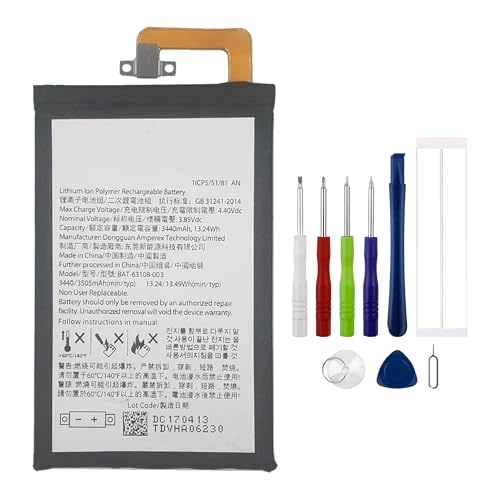
Compatible model: Blackberry Keyone BBB100-1 BBB100-2 BB100-7 BB100-5, BBB100-3. Guarantee compatibility and give your phone a new lease of life. Please check your phone model carefully before buying.
Checking Battery Performance
Check the battery performance right after the replacement. Charge your device fully, then monitor how long it takes to drain. If the battery depletes rapidly, consider these steps:
- Verify Installation: Confirm the battery is installed correctly. Ensure all connections are secure and the battery is seated properly.
- Test Charging: Use the original charger to charge your device. If it charges slowly or doesn’t charge, replace the charger.
- Monitor Apps: Some applications consume a lot of battery. Check app usage in settings to identify any culprits.
Dealing With Common Issues
Certain issues may occur after replacing the battery. Address these common problems promptly:
- Device Doesn’t Power On: If the device won’t turn on, ensure the battery is connected. You may also try a different charger.
- Overheating: If the device gets hot, remove the back cover and check battery alignment. The battery might be improperly installed.
- Unresponsive Screen: If the screen is unresponsive, perform a soft reset. Hold the power button for 10 seconds to restart the device.
By following these troubleshooting steps, you can quickly identify and rectify issues following your battery replacement.
Conclusion
Replacing your BlackBerry Priv battery doesn’t have to be daunting. With the right tools and a bit of patience, you can breathe new life into your device. Remember to take your time during the process and follow each step carefully.
Once you’ve swapped out the battery, keep an eye on its performance to ensure everything’s working smoothly. If you run into any hiccups, don’t hesitate to troubleshoot. With these tips in hand, you’re well-equipped to keep your BlackBerry Priv running like new. Happy tinkering!
Frequently Asked Questions
What causes battery drain in BlackBerry Priv devices?
Battery drain in BlackBerry Priv devices can occur due to aging components, high app usage, and background processes. As the battery degrades over time, its capacity to hold charge diminishes, leading to faster drain rates.
How can I tell if my BlackBerry Priv battery needs replacement?
Signs that your battery may need replacement include rapid discharge, frequent restarts, and overheating. If the device won’t hold a charge or drains quickly despite being fully charged, it’s likely time for a new battery.
What tools do I need to replace the battery in a BlackBerry Priv?
You’ll need a small Phillips screwdriver, plastic opening tools, tweezers, and a compatible replacement battery. Optional tools include a heat gun or hairdryer for adhesive removal and safety glasses for protection.
Can I replace the battery in my BlackBerry Priv myself?
Yes, you can replace the battery in your BlackBerry Priv yourself by following step-by-step instructions. Ensure you have the necessary tools and take precautions to avoid damaging the device.
What are the steps to replace the battery in a BlackBerry Priv?
Start by powering off your device, then remove the SIM and microSD cards. Next, pry open the back cover, unscrew the battery connector, and lift out the old battery. Install the new battery, secure it, and reassemble the device.
What common mistakes should I avoid during battery replacement?
Avoid neglecting to power off the device, skipping tool preparation, using excessive force, mishandling the battery, and ignoring screws. These mistakes can lead to damage or unsuccessful replacement.
How do I maintain my BlackBerry Priv battery’s health?
Maintain battery health by using the correct charger, avoiding extreme temperatures, checking for battery updates, using battery-saving features, and monitoring app usage to ensure efficient operation.
What should I do if my BlackBerry Priv doesn’t power on after a battery replacement?
If your device doesn’t power on, verify the battery installation, check the original charger, and monitor for excessive app usage. Troubleshoot common issues to identify and resolve the problem.
How can I troubleshoot battery performance after replacement?
To troubleshoot, fully charge the device and monitor its battery drain rate. If performance issues arise, check the installation for correctness and look for any apps that may be consuming too much power.
What post-replacement problems should I be aware of?
Post-replacement problems can include the device not powering on, overheating, or an unresponsive screen. If these occur, retrace your steps in the replacement process and follow troubleshooting tips provided in the article.
